 US log in
 UK log in
Clients
Billing, collections and balances for each client.
What this report answers
Use Clients to see how many clients your firm serves and how much you invoice, collect and are owed per client. The table lets you check the matter counts and balances for a particular client.
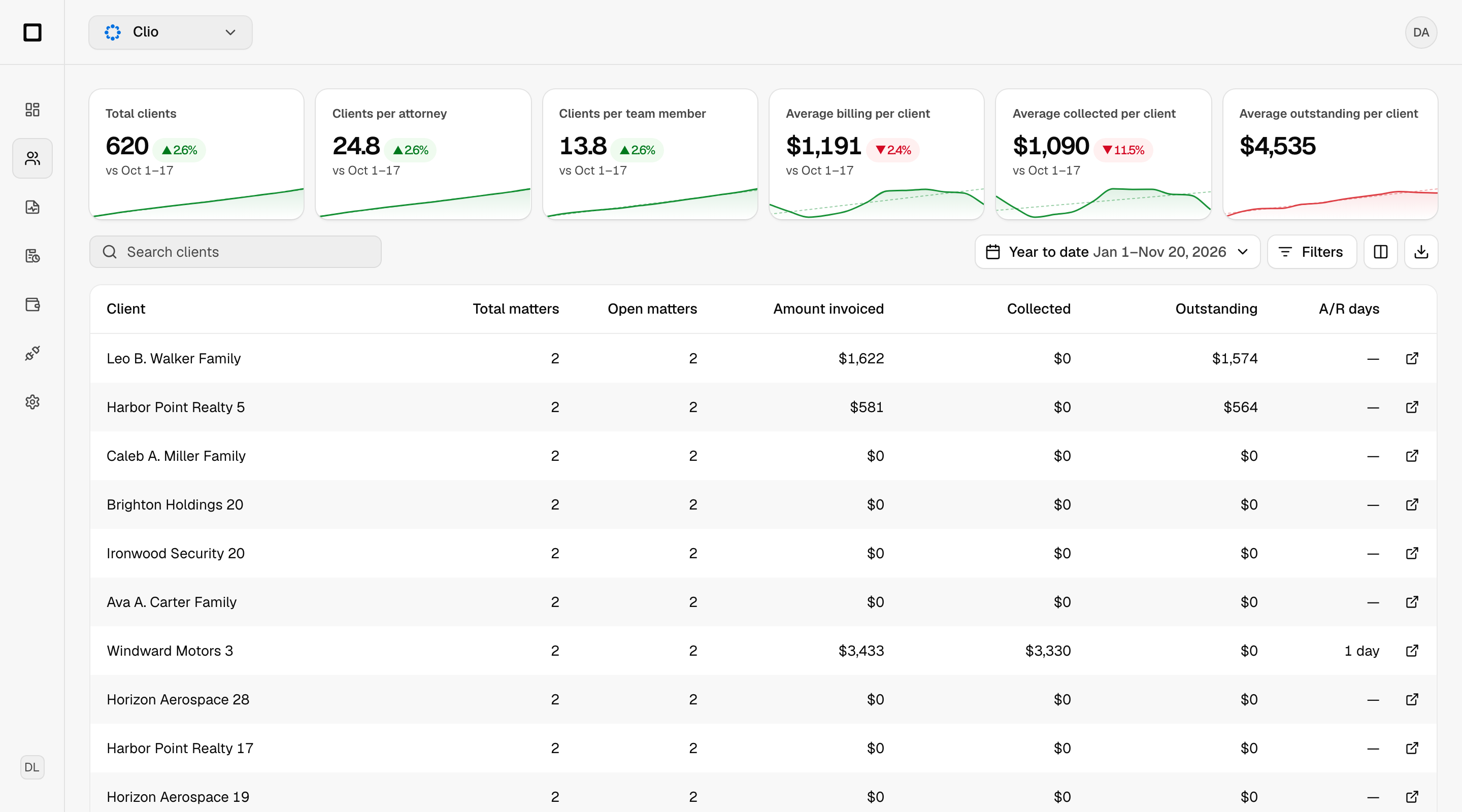
Total clients is the first of six firm-wide cards. Open a card to see its history.
Year to date shows the period used by the table. Open it to choose a different range.
Client identifies each row. Read across to see the client's matters, invoices, payments and balance.
Cards
The cards cover the first day of the month through the latest published reporting day. Each compares with the same days of the previous month. Counts and balances use the end of each window. See Report periods.
Total clients
Count the contacts that dashboardWISE includes as clients as of the end of the window. See Why numbers differ for how Smokeball contacts are counted.
Clients per attorney
Divide the client count by the attorney count at the end of the window. If you have 60 clients and 3 attorneys, that gives 20.0 clients per attorney. In the UK, this card is labeled Clients per solicitor.
Clients per team member
Divide the client count by the combined count of attorneys and staff at the end of the window. If you have 60 clients, 3 attorneys and 2 staff, that gives 12.0 clients per team member.
Average billing per client
Divide what the firm invoices so far this month by the client count at the end of the window. If you invoice $6,000 and have 60 clients, the average is $100.
Average collected per client
Divide what the firm collects so far this month by the client count at the end of the window. If you collect $3,000 and have 60 clients, the average is $50.
Average outstanding per client
Divide the firm's unpaid invoice balance by the client count at the end of the window. If clients owe $1,200 and you have 60 clients, the average is $20.
The table
Desktop shows all columns by default. On phones, Total matters and Open matters start hidden. Open Columns to show them. Scroll the table sideways to reach columns beyond the edge of the screen.
Filters, dates and exports
- Year to date is the starting range. Use the date picker to choose another range or All time. The range sets the dates for invoices and payments, and its end date sets the matter counts and outstanding balance.
- Search clients matches client names and email addresses, as well as linked matter descriptions, matter numbers and practice areas.
- Filters → Matter status → Has open matters shows clients with at least one open matter. Closed matters only shows clients with at least one matter and zero open matters.
- Filters → Practice area or Matter shows clients linked to a match. Their figures still include their other matters.
- Filters also lets you set ranges for Trust balance, Amount invoiced, Collected, Outstanding and A/R days.
- Export, if available to you, downloads an Excel workbook of matching rows across all pages using the current date range, search, filters and sort order. It includes the client name and figures from the table. If more than 5,000 rows match, narrow the filters and try again.
These controls apply to the table. The cards keep their own month-to-date window. See Report periods.
Common questions
Why is there a dash under A/R days?
A dash means the average is unavailable. For example, if none of the client's invoices reached full payment in the selected range, there are no payment ages to average. To check an earlier payment, choose a range that includes the date the invoice was paid in full.
Why is my number different from Clio or Smokeball?
Check the date range and the Matter status filter. If you're comparing a client count with a contact count, check which contacts qualify as clients. See Why numbers differ.