Connect Clio Manage
Connect Clio Manage from dashboardWISE, approve access in Clio, then return to dashboardWISE for the first sync. The connection is read-only: dashboardWISE reads reporting data and does not write practice records back to Clio.
Before you start
- Sign in to the dashboardWISE firm you want to connect.
- Make sure you can sign in to Clio and approve app access for that firm.
- Your dashboardWISE role must have permission to manage integrations.
If Connect is disabled, ask a firm administrator to review your permissions.
Connect Clio Manage
1. Open Integrations
2. Search for Clio Manage and click Connect
Integrations
Clio Manage
Practice management
Sync matters, contacts, activity, and billing context from Clio Manage.
3. Approve access in Clio
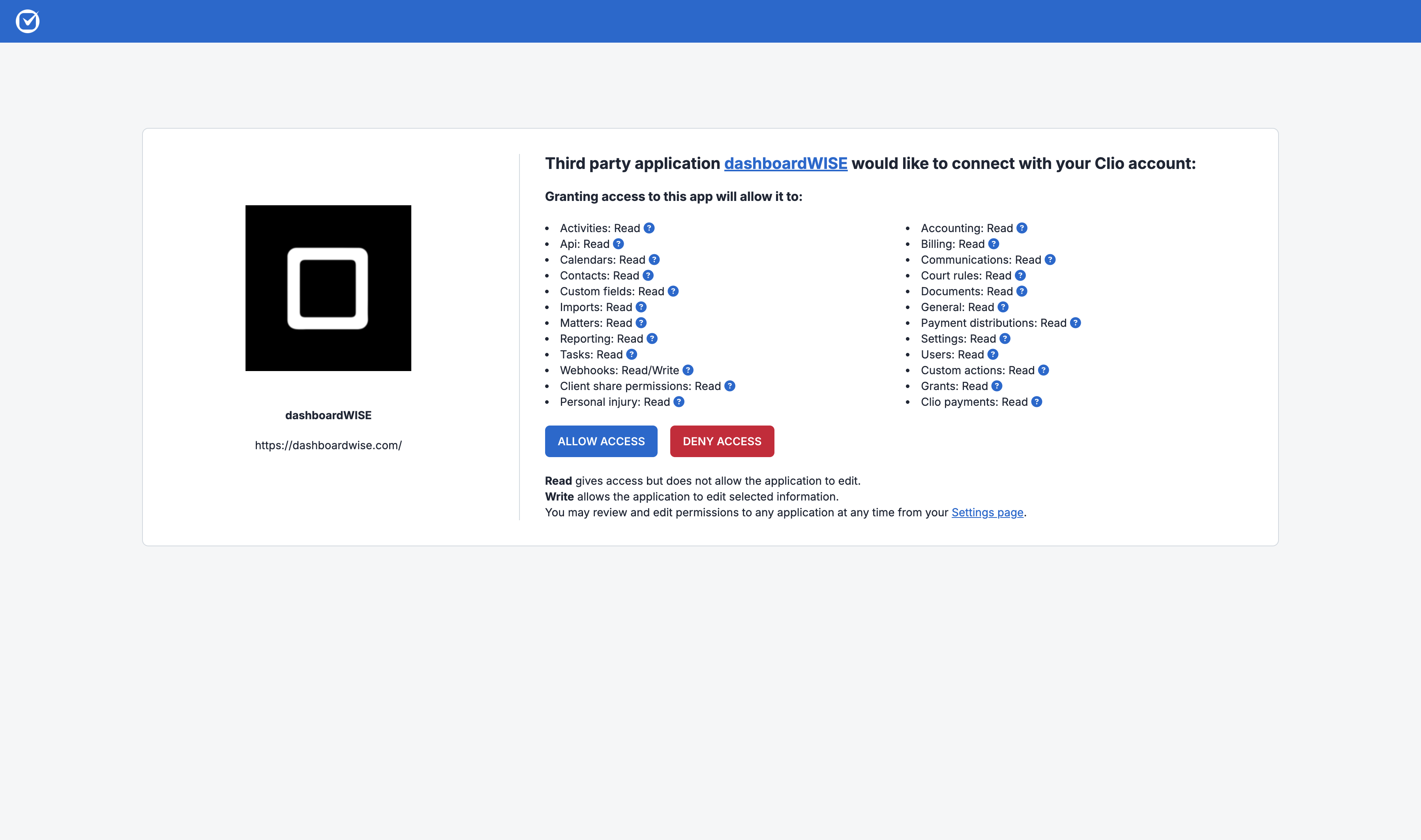
4. Return to dashboardWISE and let the sync finish
First sync in progress (40%)
Syncing activities. Dashboard metrics will appear when calculations finish.
View syncSyncing Clio data
Syncing activities
You can leave this page open while dashboardWISE imports source data, normalizes it, and calculates firm metrics.
After the connection
Once the first sync finishes, dashboardWISE keeps reporting refreshed from Clio. Your team keeps working in Clio as normal; Clio remains the system of record.
Reporting time zone
dashboardWISE imports the connected Clio user's time zone for reporting. If your firm reports in a different zone, change it later in Settings → Firm.
Data dashboardWISE reads from Clio
- Clients, contacts, matters, matter status, and practice areas
- Activities, time entries, and users
- Bills and related financial activity
- Bank accounts and bank transactions
dashboardWISE does not write practice records back to Clio. If you disconnect the integration later, dashboardWISE removes the stored connection and starts cleanup of its synced dashboard data. Wait for cleanup to finish before reconnecting the same provider.
Troubleshooting
Connect is disabled
Your dashboardWISE role probably cannot manage integrations. Ask a firm administrator to review your permissions.
Authorization did not complete
Return to Integrations and select Connect again. Make sure you are signing in to the correct Clio account and approve the request before returning to dashboardWISE.
The first sync is still running
Larger firms can take longer to import. Keep following the sync progress in dashboardWISE; reporting fills in as the required stages complete.
dashboardWISE says data is still being deleted
A previous disconnect is still being cleaned up. Wait for that process to finish before connecting Clio again.