 US log in
 UK log in
Your team uses AI to prepare a client update. The first draft arrives sooner, but a lawyer still has to find the right records, check the facts and approve what goes out. Has the firm saved useful time, or moved the work from drafting to checking?
For a small or mid-sized law firm, that is a more useful starting point than the size of another firm’s technology budget. A partner may also be the person supervising the work, answering clients and deciding whether another software subscription is worth keeping. The benefit needs to show up in the working week.
What the research says about the business result
There is research focused on smaller practices. Clio’s published summary of its 2026 Legal Trends Report for Solo and Small Law Firms reports that 75% of small firms use AI for legal work, yet fewer than 33% of solo and small firms have increased revenues with AI. Those findings help frame the question; they are not a controlled estimate of what a particular tool will earn your firm. [1]
The Thomson Reuters Institute’s Law Firm Rates Report 2027 describes a market in which AI-related legal demand is a clearer explanation for current strength than proven firm-wide efficiency gains from firms’ own AI use. Its financial sample covers 184 U.S. firms, including Am Law 100, Second Hundred and firms it classifies as midsize. [2]
That is context, not a benchmark for a five-, twenty- or fifty-lawyer practice. “Midsize” in this report means firms outside the Am Law 200; it does not establish results for a typical small practice or for UK firms. Nor should a family, personal injury or local commercial practice assume that AI investment will bring it the same new instructions as firms handling major technology transactions.
The useful lesson is about measurement: more revenue, more AI licences and faster first drafts each tell you something different. To decide whether a tool is helping your firm, look at a familiar piece of work from start to finish.
Start with a task your team repeats
Choose one workflow with a clear output and an identifiable reviewer. Preparing a routine client update, assembling a matter summary or drafting standard correspondence can be a manageable starting point. Select work where the firm has approved the use of AI and the information it may access.
For firms regulated in England and Wales, the SRA’s August 2026 warning notice makes the supervision point explicit: responsibility for the work remains with the regulated individual, and firms need controls for AI-related risks. It also warns that neither a paid subscription nor a free tool necessarily provides adequate safeguards for confidential client information. Check the tool and the permitted data before starting the pilot. [3]
Avoid starting with “How much time does AI save our firm?” Start with “How long does it take us to prepare, check and approve this kind of update?” Compare work of similar complexity, using the same standard for a finished result. Include the time of the assistant, fee earner and supervising partner wherever they contribute.
Count checking time as well as drafting time
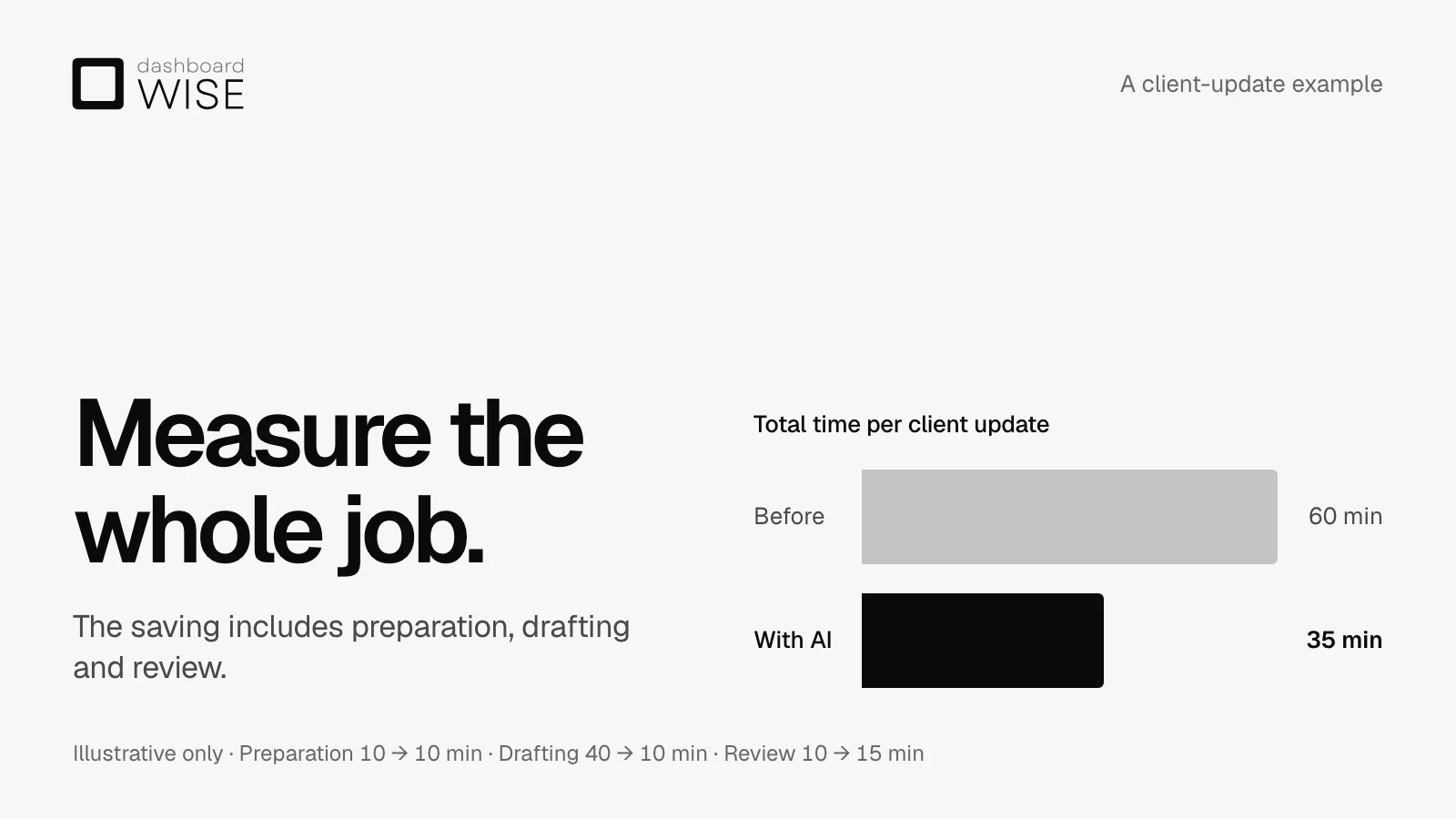
Consider an illustrative client-update workflow. Before using the tool, preparing the records takes ten minutes, drafting takes forty and review takes ten: sixty minutes altogether. With the tool, preparation still takes ten minutes, drafting takes ten and review takes fifteen: thirty-five minutes altogether.
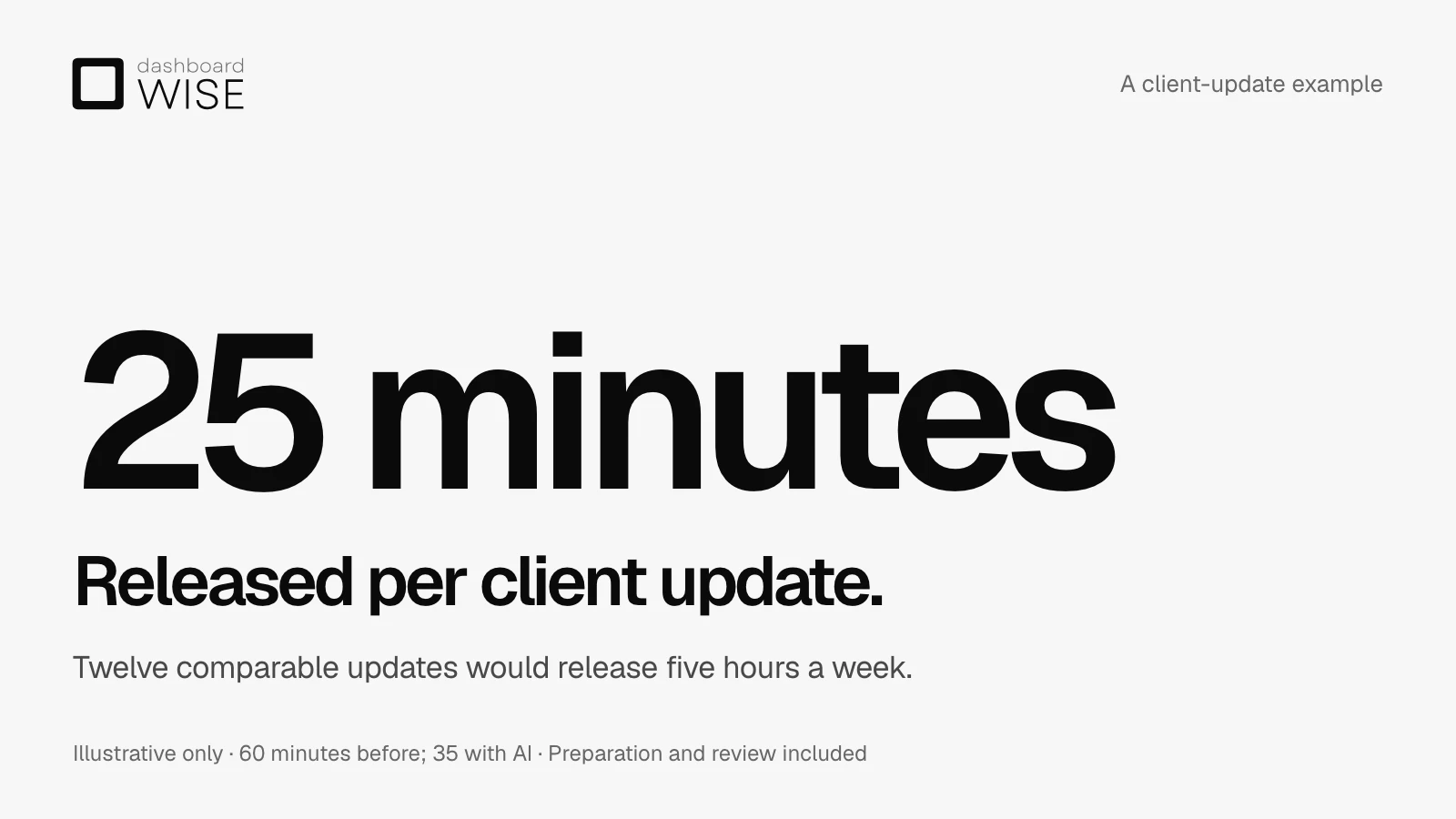
The draft is thirty minutes quicker, but the total saving is twenty-five minutes because checking takes longer. Across twelve comparable updates a week, that would release five hours. These figures are a worked example, not a forecast, customer result or finding from the report. Your own review effort may be higher, and a workflow that needs extensive correction may save no time at all.
Keep quality beside time. A quicker update is useful only if it is accurate, appropriate for the client and approved by the responsible person. Record factual corrections, missing information and repeated rework so that an apparently fast draft does not hide extra work later.
For U.S. readers, ABA Formal Opinion 512 similarly ties the appropriate verification effort to the tool and the task. It leaves professional judgment and responsibility with the lawyer. Review is part of delivering the work, so it belongs in the time comparison rather than outside it. [4]
Decide what the released time is for
For a small team, five hours could mean answering clients sooner, clearing an existing backlog or reducing evening work. It might allow the firm to accept more instructions. Each is a possible benefit, but each needs to be observed rather than assumed.
If there is no additional work available, the time released does not automatically become extra revenue. If a supervising partner spends those hours correcting outputs, the benefit may disappear. Record what actually happens to capacity alongside the time comparison.
Pricing still needs its own review. ABA Formal Opinion 512 says hourly billing must reflect actual time spent, including appropriate review. It also applies fee-reasonableness principles to flat and contingent fees: faster delivery is not an automatic entitlement to retain the same charge. This is guidance under the ABA Model Rules; firms need to consider the rules and engagement terms that apply to their practice. [4]
This is why a faster workflow and a better financial result need separate evidence. Fee arrangements, client demand and the use of the time released determine what the saving is worth to your practice.
Run a pilot your team can maintain
You do not need a firm-wide reporting programme to begin. For the selected workflow, agree who records the time, who checks quality and when you will review the results. Use a simple shared record covering:
- The task, its complexity and whether the approved tool was used.
- Preparation, drafting, checking and correction time for everyone involved.
- Whether the output met the agreed standard and what needed rework.
- The relevant licence, training and implementation costs.
- What the released time allowed the team to do.
Look at several comparable tasks rather than the best demonstration. Keep unsuccessful attempts in the record. A tool that works well for a routine update may need different controls for a document review or a more complex matter summary.
When reviewing financial results, keep billing and cash timing in view too. Receipts this month may relate to work completed before the pilot. An increase in collections cannot, by itself, establish that the new workflow caused it.
Get help turning a useful task into a controlled workflow
Our AI Enablement for Law Firms service helps firms assess suitable use cases, connect approved tools with existing systems, build in permissions and human review, and train the team. We help monitor usage, review effort, turnaround and quality so decisions about expanding a workflow have evidence behind them.
Bring us one task that repeatedly takes your people away from client work. We can discuss how it is done today, what must remain under human control and what a useful pilot would measure. Start with evidence from your own team’s work before committing to a wider rollout.
Sources and scope
- Clio, 2026 Legal Trends Report for Solo and Small Law Firms: published findings, 4 May 2026. Publisher’s summary of the findings; the report’s overview and methodology summary describes survey and anonymised platform research. The findings do not establish a causal return for an individual firm.
- Thomson Reuters Institute, Law Firm Rates Report 2027, 28 October 2026. Financial sample: 184 U.S. firms. Its analysis cannot isolate GenAI from wider technology spending and trade-related demand.
- Solicitors Regulation Authority, Misuse of AI warning notice, 17 August 2026. Guidance for SRA-regulated firms and individuals in England and Wales, including supervision, accountability and confidentiality.
- American Bar Association, Formal Opinion 512, 29 July 2024, especially pages 3–4 and 12. Guidance under the ABA Model Rules on verification and fees; applicable local rules still need to be considered.
The client-update timings, weekly capacity calculation and suggested pilot approach are illustrative examples and dashboardWISE’s practical interpretation. They are not customer results or measured outcomes from these sources.